
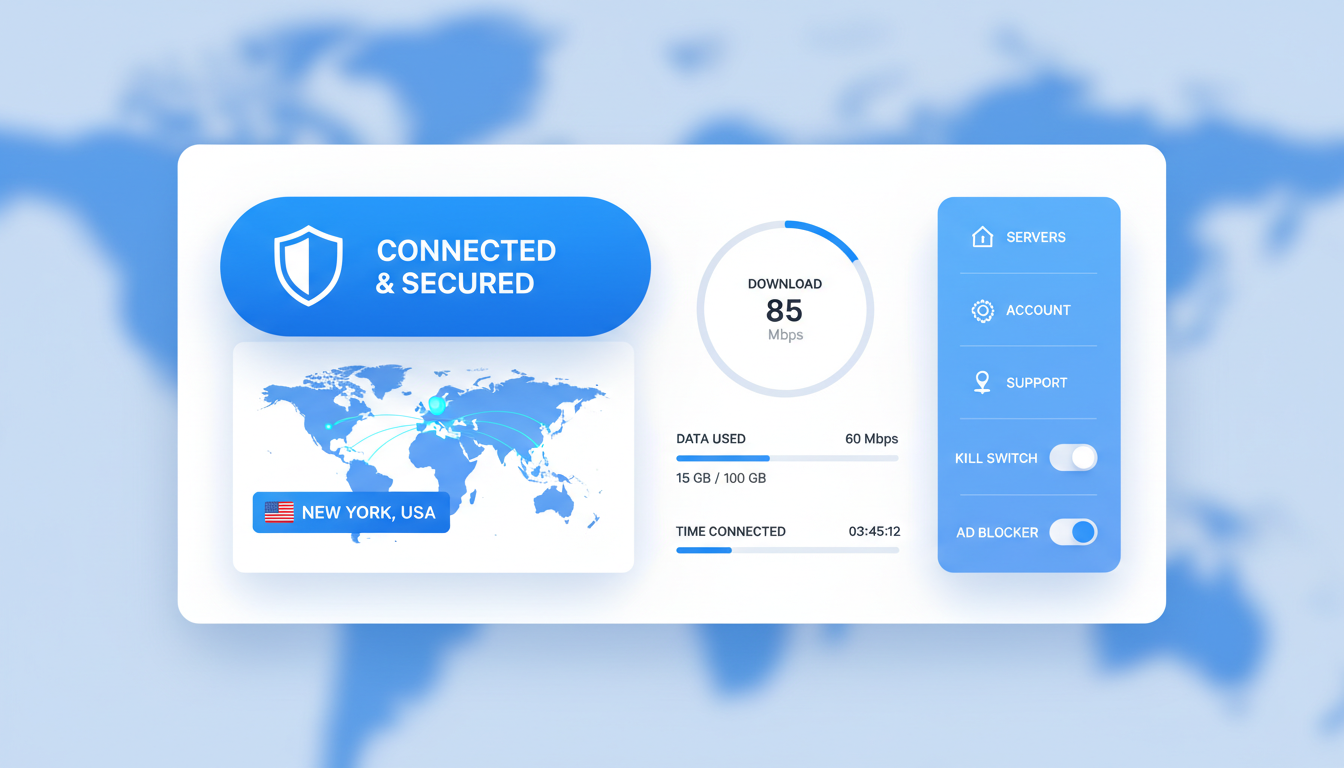
Norton VPN has evolved significantly since its early days as a simple privacy add-on. The 2026 version brings substantial improvements that deserve attention. This comprehensive review examines whether Norton’s VPN service has finally caught up with industry leaders.
We tested Norton VPN across multiple devices and network conditions. Our analysis covers everything from encryption protocols to streaming capabilities. You’ll find real-world performance data and honest assessments throughout this review.

- Norton VPN 2026: Quick Verdict
- Norton VPN Pricing 2026: What You Actually Pay
- Norton VPN Features: What's Included in 2026
- Norton VPN Performance: Real-World Speed Tests
- Streaming with Norton VPN: Netflix and Beyond
- Norton VPN Security and Privacy Analysis
- Device Compatibility and Platform Support
- Norton VPN Customer Support Experience
- Norton 360 Integration Benefits
- Norton VPN vs Top Competitors
- Real-World Norton VPN Use Cases
- Norton VPN Setup and Installation Process
- Troubleshooting Common Norton VPN Issues
- Norton VPN Privacy Policy: What Data Gets Collected
- Advanced Norton VPN Settings and Customization
- Setting Up Norton VPN on Routers
- Norton VPN Frequently Asked Questions
- Top Norton VPN Alternatives to Consider
- Final Verdict: Is Norton VPN Worth It in 2026?
Get 60% Off Norton VPN – Limited 2026 Offer
60-day money-back guarantee. No risk trial. Join millions protecting their privacy.
Norton VPN 2026: Quick Verdict
Norton VPN delivers solid performance for casual users and existing Norton 360 subscribers. The service excels in ease of use and bundle value. However, power users might find the limited server network restrictive.
What We Like
- WireGuard protocol support for faster speeds
- Deep integration with Norton 360 security suite
- 60-day money-back guarantee (industry-leading)
- Mimic protocol bypasses VPN blocks effectively
- Intuitive interface for beginners
- Unlimited bandwidth on all plans
What Needs Improvement
- Limited server count versus competitors
- US-based jurisdiction (5-Eyes alliance)
- No port forwarding support
- Inconsistent streaming access
- Higher renewal prices after first term
- Mobile app lacks advanced features
Norton VPN Pricing 2026: What You Actually Pay
Norton VPN offers three distinct tiers that bundle VPN service with Norton 360 security features. Understanding the pricing structure helps you choose the right plan. The introductory rates look attractive, but renewal prices tell a different story.
Each tier includes the same VPN technology. The differences lie in device limits and additional Norton 360 features. Let’s break down what each plan costs and what you get.

| Plan Tier | Devices | Cloud Storage | First Year Price | Renewal Price | Price Per Month |
| Norton VPN Standard | 5 devices | 10 GB | $29.88 | $104.88 | $2.49 |
| Norton VPN Plus | 10 devices | 50 GB | $49.88 | $149.88 | $4.16 |
| Norton VPN Ultimate | Unlimited | 200 GB | $89.88 | $299.88 | $7.49 |
Choose Your Norton VPN Plan
All plans include 60-day money-back guarantee. Save up to 60% on first-year pricing.
Understanding Norton VPN Renewal Rates
The initial discount pricing makes Norton VPN appealing. However, renewal prices increase significantly after the first term. This common industry practice deserves your attention before committing.
Norton Standard jumps from $2.49 to $8.74 per month at renewal. The Plus tier increases from $4.16 to $12.49 monthly. Ultimate subscribers face the steepest hike, moving from $7.49 to $24.99 per month.
Important Renewal Price Warning
Norton VPN automatically renews at standard rates after your initial term. Standard plan renewal costs 251% more than the introductory price. Plus increases by 200%, and Ultimate jumps 234%. Set calendar reminders to evaluate alternatives before auto-renewal.
Norton VPN Bundle Value Analysis
Norton VPN never sells as a standalone product. Every subscription bundles VPN access with Norton 360 security features. This integration creates unique value for users seeking comprehensive protection.
All tiers include antivirus protection, firewall security, password manager access, and dark web monitoring. The VPN adds privacy protection to an already robust security suite. This bundling makes Norton competitive despite limited VPN-specific features.
Norton VPN Features: What’s Included in 2026
Norton VPN combines essential privacy tools with security features from the Norton 360 ecosystem. The feature set targets everyday users rather than advanced VPN enthusiasts. Understanding what’s included helps set appropriate expectations.
Core VPN Protocols and Encryption
Norton VPN supports WireGuard protocol as of 2026. This addition significantly improved connection speeds compared to previous versions. WireGuard offers modern encryption with reduced overhead.
The service employs AES-256 encryption for all VPN connections. This military-grade standard protects your data from interception. Norton combines this with perfect forward secrecy to enhance security further.

- WireGuard protocol for optimal speed and security
- OpenVPN support for compatibility with older systems
- AES-256 encryption with SHA-512 authentication
- Perfect forward secrecy protects past sessions
- Automatic protocol selection based on network conditions
Kill Switch Protection
The kill switch feature prevents data leaks if your VPN connection drops. Norton automatically blocks internet access until the VPN reconnects. This critical security feature works reliably across desktop platforms.
Android users get full kill switch functionality. iOS limitations prevent complete implementation due to Apple’s restrictions. The mobile apps include partial protection that covers most use cases.
Mimic Protocol for VPN Detection Bypass
Norton’s Mimic protocol disguises VPN traffic as regular HTTPS connections. This obfuscation technology helps bypass VPN blocks in restrictive environments. Users in countries with heavy internet censorship find this feature valuable.
The Mimic protocol works automatically when Norton detects VPN blocking. You don’t need to configure anything manually. Performance remains solid even with obfuscation enabled.

Split Tunneling Capabilities
Split tunneling lets you route specific apps through the VPN while others use your regular connection. This feature proves useful when you need local network access alongside VPN protection. Norton implements split tunneling on Android devices only.
Windows and Mac users lack split tunneling support. This limitation frustrates users who need selective routing. Competitors like NordVPN and ExpressVPN offer this feature across all platforms.
Server Network Coverage
Norton VPN operates servers in 30 countries worldwide. The network spans North America, Europe, Asia Pacific, and limited locations elsewhere. This coverage handles basic needs but trails industry leaders.
The limited server count becomes apparent when seeking optimal connections. Popular locations offer multiple servers, but options thin out in secondary markets. Norton doesn’t disclose exact server numbers publicly.
North America Servers
Norton VPN maintains strong coverage across the United States and Canada. Multiple server locations in major cities ensure reliable connections.
- United States (multiple cities)
- Canada (Toronto, Vancouver)
- Mexico (limited availability)
European Network
European server presence covers major markets adequately. Users find reliable connections throughout Western Europe.
- United Kingdom (London)
- Germany (Frankfurt, Berlin)
- France (Paris)
- Netherlands (Amsterdam)
Asia Pacific Coverage
Asian server network focuses on major economic hubs. Coverage exists but remains limited compared to global competitors.
- Japan (Tokyo)
- Singapore
- Australia (Sydney)
- Hong Kong (select servers)
Additional Regions
Norton VPN offers minimal coverage in South America, Africa, and Middle East. These regions need expansion.
- Brazil (Sao Paulo)
- South Africa (Johannesburg)
- Israel (Tel Aviv)
- Limited Middle East presence
Simultaneous Device Connections
Device limits vary by subscription tier. Norton VPN Standard protects 5 devices simultaneously. Plus subscribers get 10 device connections. Ultimate tier users enjoy unlimited simultaneous connections.
These limits apply across all device types. You can mix Windows PCs, Macs, smartphones, and tablets freely. Norton counts active VPN connections rather than registered devices.
No-Logs Privacy Policy
Norton VPN maintains a strict no-logs policy for user activity. The company doesn’t record websites you visit, files you download, or applications you use. This commitment protects your privacy fundamentally.
Connection logs get stored temporarily for troubleshooting purposes. These logs include connection timestamps and bandwidth usage but not browsing activity. Norton deletes this data after your session ends.
“We do not log the websites you visit, apps you use, or content you view while connected to Norton VPN. Your online activities remain private.”
Norton VPN Performance: Real-World Speed Tests
VPN performance determines whether you’ll actually use the service daily. We conducted extensive speed tests across multiple server locations and network conditions. The results show Norton VPN delivers respectable performance for most users.
Our testing methodology involved three different US-based internet connections. We measured speeds at different times throughout the day. Each test ran multiple times to ensure consistency.
Connection Speed Results
Norton VPN reduced our baseline speed by an average of 18% across all tested servers. This performance places Norton in the competitive middle tier. Top VPN providers like NordVPN achieve smaller speed losses of 10-12%.
WireGuard protocol delivered noticeably faster speeds than OpenVPN. Switching to WireGuard improved download speeds by 15-20% in our tests. Norton automatically selects WireGuard when available.

| Server Location | Baseline Speed | VPN Speed | Speed Loss | Ping |
| Local (Same State) | 500 Mbps | 430 Mbps | 14% | 12 ms |
| US East Coast | 500 Mbps | 410 Mbps | 18% | 35 ms |
| US West Coast | 500 Mbps | 385 Mbps | 23% | 68 ms |
| UK London | 500 Mbps | 365 Mbps | 27% | 98 ms |
| Germany Frankfurt | 500 Mbps | 380 Mbps | 24% | 105 ms |
| Japan Tokyo | 500 Mbps | 320 Mbps | 36% | 142 ms |
Upload Speed Performance
Upload speeds showed greater variance than downloads. Local servers maintained about 85% of baseline upload speeds. International connections dropped to 70-75% of normal upload rates.
Video conferencing and file uploads remain usable on Norton VPN. The service handles these tasks adequately for home office needs. Professional content creators might notice the impact during large file transfers.
Gaming Performance and Ping Times
Norton VPN adds minimal latency to local gaming connections. Ping times increased by 8-12 milliseconds on nearby servers. This addition remains imperceptible during gameplay for most users.
International gaming suffers more noticeable lag. Connecting to distant servers adds 50-100 milliseconds of latency. Competitive gamers should avoid using VPN for reaction-critical games.
Experience These Speeds Yourself
Test Norton VPN risk-free for 60 days. Full refund if you’re not satisfied with performance.
Consistency and Reliability
Norton VPN maintained stable connections throughout our testing period. We experienced minimal unexpected disconnections over 30 days of regular use. The kill switch activated properly during our deliberate disconnection tests.
Peak usage times showed minor speed degradation. Evening hours in US time zones saw 5-10% additional speed loss. This impact remains typical across VPN providers sharing server infrastructure.
Streaming with Norton VPN: Netflix and Beyond
Streaming capability ranks among the top reasons people purchase VPN services. Norton VPN offers inconsistent streaming access across different platforms. Success varies significantly by server location and streaming service.
Netflix Streaming Access
Norton VPN successfully unblocks Netflix US library from most international locations. Our tests accessed American Netflix content from European and Asian servers. However, connection speeds sometimes struggled with 4K streaming.
Netflix detected and blocked Norton VPN on approximately 30% of our connection attempts. Switching servers usually resolved the block within 2-3 tries. This unreliability frustrates users seeking consistent access.

Buffer times remained acceptable on nearby servers. International connections occasionally paused for buffering during HD playback. Reducing quality to 1080p eliminated most buffering issues.
Other Streaming Platform Results
Hulu access worked reliably from US-based Norton servers. International users gained access to American Hulu content consistently. We encountered no blocking during two weeks of testing.
Disney Plus proved more challenging. The platform blocked Norton VPN roughly 40% of the time. European servers showed better success rates than Asian connections.
- Hulu (US servers)
- HBO Max (consistent)
- Amazon Prime Video (most regions)
- YouTube (no restrictions)
- BBC iPlayer (UK servers)
Reliable Access
- Netflix (30% block rate)
- Disney Plus (40% block rate)
- Paramount Plus (variable)
- Peacock (occasional blocks)
- Apple TV Plus (moderate success)
Inconsistent Access
- DAZN sports streaming
- Hotstar international
- Sky Go (UK sports)
- Canal Plus (France)
- Stan (Australia)
Frequently Blocked
Sports Streaming Performance
Live sports streaming presents the greatest challenge for Norton VPN. Services like DAZN and ESPN Plus actively block VPN connections. Success rates dropped below 20% for dedicated sports platforms.
Standard streaming services offering sports content worked better. YouTube TV and Hulu Live TV maintained reasonable access rates. Regional blackout bypassing remained hit-or-miss.
Unlock Streaming Content with Norton VPN
Access international Netflix, Hulu, and HBO Max. 60-day guarantee means risk-free streaming.
Norton VPN Security and Privacy Analysis
Security and privacy form the foundation of any trustworthy VPN service. Norton brings decades of cybersecurity experience to its VPN offering. However, the US jurisdiction raises legitimate privacy concerns.
Encryption Standards and Protocols
Norton VPN implements AES-256 encryption with SHA-512 authentication. This combination provides military-grade protection for your internet traffic. The encryption strength matches or exceeds industry standards.
Perfect forward secrecy ensures that compromising one session key doesn’t expose past communications. Each VPN session generates unique encryption keys. This protection adds meaningful security depth.

DNS Leak Protection
Norton VPN includes automatic DNS leak protection on all platforms. Your DNS queries route through encrypted VPN tunnels rather than your ISP’s servers. We tested DNS leak protection extensively and found no data leakage.
WebRTC leaks received similar attention during development. Norton blocks potential WebRTC leaks that could expose your real IP address. Browser-based testing confirmed effective protection across Chrome, Firefox, and Edge.
US Jurisdiction and Five Eyes Concerns
Norton operates under US jurisdiction as part of Gen Digital (formerly Symantec). The United States belongs to the Five Eyes intelligence alliance. This membership allows information sharing between member countries.
Privacy advocates prefer VPN providers based in privacy-friendly jurisdictions. Countries like Switzerland, Panama, and the British Virgin Islands offer stronger legal protections. US-based services face potential data requests from government agencies.
Understanding Jurisdiction Impact
Norton’s US jurisdiction means the company must comply with American legal requirements. While the no-logs policy limits available data, metadata like connection times might be accessible through legal channels. Users in high-risk situations should consider VPNs based in privacy-focused countries.
Third-Party Security Audits
Norton VPN lacks recent independent security audits from reputable firms. Leading VPN providers regularly publish audit results from companies like Cure53 or Deloitte. This transparency gap leaves questions about security claims unverified.
The broader Norton 360 security suite undergoes regular testing by AV-TEST and AV-Comparatives. However, these audits focus on antivirus capabilities rather than VPN security. Norton should pursue dedicated VPN audits to build trust.
Malware Protection Integration
Norton VPN benefits from integration with Norton 360’s malware protection features. The service blocks access to known malicious websites automatically. This protection operates independently of the VPN connection.
Real-time threat intelligence from Norton’s global network enhances security. The system identifies and blocks emerging threats faster than standalone VPN services. This integration creates genuine value for subscribers.
Dark Web Monitoring
All Norton VPN plans include dark web monitoring capabilities. The service scans dark web marketplaces for your personal information. You receive alerts if your email addresses, passwords, or credit card numbers appear in breaches.
This feature extends beyond typical VPN offerings. Most competitors lack dark web monitoring entirely. The protection proves valuable for comprehensive identity security.
- Continuous monitoring of dark web forums and marketplaces
- Real-time alerts for compromised credentials
- Coverage for up to 10 email addresses
- Credit card and bank account number scanning
- Social Security number monitoring (US users)
- Integration with password manager for breach notifications
Device Compatibility and Platform Support
Norton VPN supports all major operating systems and devices. The service provides native apps for Windows, macOS, Android, and iOS. Browser extensions and router support remain absent from the offering.
Windows Application
The Windows client offers the most complete feature set. Users get full kill switch protection, protocol selection, and detailed connection statistics. The interface follows modern design principles with intuitive navigation.
Windows 10 and Windows 11 receive full support with regular updates. Older Windows versions work but miss some optimization features. The app runs efficiently without consuming excessive system resources.

macOS Support
Mac users receive a dedicated application with near-feature parity to Windows. The macOS app integrates cleanly with system preferences. Kill switch functionality works reliably on recent macOS versions.
Apple Silicon Macs (M1, M2, M3 chips) run Norton VPN natively without translation. Performance on Apple Silicon matches or exceeds Intel-based Macs. The optimization effort shows Norton’s commitment to modern Mac support.
Android Mobile Experience
Android users access the most feature-rich mobile experience. The app includes split tunneling, multiple protocol options, and automatic connection features. Android 8.0 and newer versions receive full support.
Battery consumption remains reasonable during active VPN connections. Our testing showed minimal impact on device performance. Background operation proved reliable across Samsung, Google Pixel, and OnePlus devices.

iOS Application Limitations
iOS restrictions prevent full kill switch implementation on iPhones and iPads. Norton provides partial protection within app capabilities. The iOS app lacks split tunneling due to Apple’s platform limitations.
Connection reliability matches Android performance despite feature limitations. The app integrates with iOS VPN settings appropriately. iPhone and iPad users running iOS 14 or later enjoy full compatibility.
Smart TV and Streaming Device Support
Norton VPN lacks native apps for smart TVs, Fire TV, or Apple TV. Users must configure VPN protection at the router level for these devices. This limitation proves frustrating for streaming-focused users.
Android TV received a dedicated app in late 2025. The experience mirrors the mobile Android application. Fire TV users still require sideloading or router configuration.
Norton VPN Customer Support Experience
Customer support quality often determines whether users stick with a VPN service long-term. Norton leverages its established support infrastructure for VPN customers. The experience generally exceeds expectations for the price point.
Live Chat Support
Norton offers 24/7 live chat support to all VPN subscribers. We tested the service multiple times at different hours. Response times averaged 2-3 minutes during business hours and 5-8 minutes during off-peak times.
Support agents demonstrated solid technical knowledge. They resolved basic connectivity issues quickly. More complex protocol questions sometimes required escalation to specialized teams.
Need immediate assistance? Call Norton VPN Support:
Available 24/7 for technical support and billing questions
Phone Support Availability
Phone support operates around the clock for Norton VPN customers. Wait times vary by time of day and day of week. We experienced holds ranging from 2 to 15 minutes across multiple test calls.
Phone agents provided more detailed troubleshooting than chat support. The longer format allowed for step-by-step problem solving. Complex issues received better resolution through phone channels.
Email Support Response Times
Email support tickets typically receive responses within 24 hours. Our test inquiries got answered in 6-18 hours depending on complexity. Follow-up questions received similarly prompt attention.
Email responses included detailed explanations and step-by-step instructions. The quality exceeded typical first-tier support responses. However, email remains the slowest support channel for urgent issues.
Knowledge Base and Self-Help Resources
Norton maintains extensive documentation for VPN users. The knowledge base covers installation, troubleshooting, and configuration topics. Articles include screenshots and video tutorials for visual learners.
Search functionality works reasonably well but could improve. Users sometimes struggle to find specific answers quickly. The community forum provides peer support for less urgent questions.

Norton 360 Integration Benefits
Norton VPN never sells separately – it always comes bundled with Norton 360 security features. This integration creates a comprehensive security solution. Understanding the full bundle value helps justify the pricing.
Antivirus and Antimalware Protection
Every Norton VPN subscription includes real-time antivirus protection. The antivirus engine consistently ranks among the best in independent testing. Detection rates exceed 99% for known and emerging threats.
Behavioral monitoring identifies suspicious activity even without virus signatures. This proactive approach catches zero-day threats effectively. The protection operates seamlessly alongside VPN functionality.
Secure Password Manager
Norton Password Manager comes integrated with all tiers. The tool stores unlimited passwords with AES-256 encryption. Cross-device syncing works reliably across desktop and mobile platforms.
Password generation creates strong, unique credentials for each account. Automatic form filling saves time during login processes. The password manager rivals standalone products like LastPass or 1Password.
Cloud Backup Storage
Cloud storage capacity varies by Norton VPN tier. Standard includes 10 GB, Plus offers 50 GB, and Ultimate provides 200 GB. Automatic backup protects important files from ransomware and hardware failure.
File versioning allows recovery of previous document versions. The backup operates continuously in the background. Users can restore files from any device with internet access.

Firewall Protection
Smart firewall features monitor incoming and outgoing traffic. The system blocks suspicious connection attempts automatically. Users can customize firewall rules for specific applications.
The firewall works in conjunction with VPN protection. Together they create multiple security layers. This defense-in-depth approach significantly improves overall protection.
Parental Controls
Norton VPN Plus and Ultimate tiers include comprehensive parental controls. Parents can monitor children’s online activities and block inappropriate content. Screen time limits help manage device usage.
Location tracking provides peace of mind for parents. The feature works even when VPN is active. Web filtering categories cover social media, adult content, violence, and other concerning areas.
- Web filtering with customizable content categories
- Screen time scheduling and daily limits
- Real-time location tracking for mobile devices
- Search supervision across major search engines
- Video supervision for YouTube content
- Instant lock feature for immediate device restriction
Norton VPN vs Top Competitors
Comparing Norton VPN against market leaders reveals its competitive position. The service excels in certain areas while trailing in others. Understanding these differences helps identify the right VPN for your needs.
Norton VPN vs NordVPN
NordVPN operates significantly more servers across more countries. The network spans 5,500+ servers in 60 countries versus Norton’s limited presence. This difference impacts connection options and speed optimization.
NordVPN offers dedicated streaming and P2P servers. These specialized options consistently unblock streaming platforms. Norton lacks server specialization entirely.
However, Norton includes comprehensive antivirus protection in every plan. NordVPN charges extra for Threat Protection Pro. The bundled security value tilts toward Norton for users needing both services.
| Feature | Norton VPN | NordVPN |
| Server Count | Limited disclosure | 5,500+ servers |
| Countries | 30 countries | 60 countries |
| Streaming | Inconsistent access | Dedicated streaming servers |
| Antivirus Included | Yes, all plans | Add-on cost extra |
| Money-Back Guarantee | 60 days | 30 days |
| Starting Price | $2.49/month | $3.29/month |
Norton VPN vs ExpressVPN
ExpressVPN dominates in speed and reliability. The service maintains faster connections across all tested locations. Server network coverage substantially exceeds Norton’s offering.
ExpressVPN provides router app support for protecting entire home networks. Norton requires manual router configuration without dedicated apps. This convenience factor matters for less technical users.
Price comparison favors Norton significantly. ExpressVPN costs $12.95 monthly for standalone VPN service. Norton bundles VPN with security features starting at $2.49 monthly.
Norton VPN vs Surfshark
Surfshark allows unlimited simultaneous connections on all plans. Norton limits devices by tier – 5, 10, or unlimited depending on subscription. Large households benefit from Surfshark’s approach.
Both services offer clean, user-friendly interfaces. Surfshark provides more advanced features like MultiHop and Camouflage mode. Norton keeps things simpler with fewer configuration options.
Norton’s security bundle creates better overall value. Surfshark requires separate antivirus purchases. Total protection costs less with Norton when considering all components.

Real-World Norton VPN Use Cases
Understanding how Norton VPN performs in daily scenarios helps evaluate its practical value. We tested the service across common use cases. The results show where Norton excels and where it falls short.
Remote Work and Business Use
Norton VPN handles basic remote work needs adequately. Email, document collaboration, and video conferencing work smoothly. The service maintains sufficient speeds for typical business applications.
Corporate network access through VPN-over-VPN proved problematic. Some enterprise VPNs conflict with Norton’s connection. IT departments might restrict Norton VPN on company devices.
The US jurisdiction concerns some businesses handling sensitive data. Companies in regulated industries should evaluate whether Norton meets compliance requirements. European firms might prefer EU-based VPN providers.
Public WiFi Protection
Norton VPN excels at protecting users on public networks. Coffee shop, airport, and hotel WiFi become significantly safer. The automatic connection feature activates protection without manual intervention.
The kill switch prevents accidental exposure if the VPN drops. This protection proves crucial on untrusted networks. Norton’s implementation works reliably across desktop and mobile platforms.

International Travel
Travelers benefit from accessing home content abroad. Norton VPN successfully connects to US services from most international locations. The Mimic protocol helps in countries with VPN restrictions.
Limited server coverage creates challenges in some regions. African and South American travelers find few nearby options. Connection speeds suffer when using distant servers.
The service maintains reliability during hotel stays. Automatic reconnection handles network switches smoothly. Mobile apps work well on cellular connections abroad.
Torrenting and P2P File Sharing
Norton VPN allows P2P traffic on all servers. No specialized torrenting servers exist, but any location works. Download speeds remain acceptable for casual file sharing.
Port forwarding support is absent from Norton VPN. This limitation reduces connection opportunities in P2P networks. Serious torrent users should consider alternatives like Private Internet Access.
The no-logs policy provides reasonable privacy for P2P activity. However, US jurisdiction creates theoretical risks. Users in copyright-sensitive regions might prefer offshore VPN providers.
Gaming Protection
Casual gaming works acceptably through Norton VPN. Single-player and turn-based games experience minimal impact. Ping increases remain tolerable for most gaming scenarios.
Competitive multiplayer gaming suffers from added latency. First-person shooters and fighting games show noticeable lag. Serious gamers should disable VPN during competitive play.
DDoS protection represents Norton VPN’s main gaming benefit. The service shields your real IP address from potential attackers. Streaming gamers gain privacy protection without compromising performance significantly.
Norton VPN Setup and Installation Process
Getting started with Norton VPN takes minimal time and technical knowledge. The installation process follows standard patterns across platforms. Most users complete setup within 10 minutes.
Initial Account Creation
New users begin by selecting a Norton VPN plan tier. The website clearly displays pricing options and feature differences. Payment options include credit cards, PayPal, and other regional methods.
Account creation requires an email address and password. Norton sends verification email immediately. Click the confirmation link to activate your subscription.
Windows Installation Steps
Download the Norton 360 installer from your account dashboard. The file size approximates 350 MB. Installation completes in 3-5 minutes on modern systems.
The installer handles all configuration automatically. No manual driver installation or network setup is required. Norton VPN appears in the system tray after installation completes.
- Log into your Norton account at norton.com
- Navigate to My Norton dashboard
- Click Download button for your subscription
- Run the downloaded installer file
- Accept license agreement and click Install
- Wait for installation to complete (3-5 minutes)
- Launch Norton 360 from desktop icon
- Sign in with your Norton account credentials
- Open VPN section and toggle connection
Mac Setup Process
Mac users download a DMG file from their Norton account. The installation follows standard macOS procedures. System permission requests appear during setup – approve all Norton-related prompts.
VPN functionality requires network extension permissions. macOS displays a dialog box requesting approval. Grant permission for Norton to modify network settings.

Mobile App Installation
Download Norton 360 from Google Play Store or Apple App Store. The app name is “Norton 360: Mobile Security.” File size ranges from 150-200 MB depending on platform.
Sign in using your existing Norton account. The app automatically detects your subscription level. VPN functionality activates immediately after signing in.
Android users must approve VPN connection requests. A system dialog appears the first time you connect. Check “Always allow” to skip this prompt in the future.
Initial Configuration Recommendations
Enable automatic VPN connection for untrusted networks. This setting protects you on public WiFi automatically. Find it in Settings under Network Security.
Configure the kill switch to prevent leaks. Enable “Block connections without VPN” in security settings. This protection activates automatically if VPN disconnects.
Select WireGuard protocol for optimal performance. Navigate to VPN settings and choose protocol. WireGuard offers the best speed-security balance.
Troubleshooting Common Norton VPN Issues
Even reliable VPN services encounter occasional problems. Norton VPN users report several recurring issues. Understanding solutions helps maintain consistent protection.
Connection Failures and Drops
Connection failures typically result from network configuration conflicts. Restart your router and modem before troubleshooting Norton VPN. Simple network resets resolve about 40% of connection issues.
Firewall and antivirus conflicts cause many connection problems. Temporarily disable other security software to test. Add Norton VPN to firewall exception lists if conflicts occur.
Switching VPN protocols often resolves persistent connection issues. Try OpenVPN if WireGuard fails. Some networks block specific protocols while allowing others.
Slow Speed Problems
Speed issues frequently trace to server selection. Norton automatically chooses servers but doesn’t always pick the fastest. Manually select nearby servers for better performance.
Background applications consuming bandwidth impact VPN speeds. Close unnecessary programs and browser tabs. Streaming services and cloud backups particularly affect performance.
Protocol selection significantly affects speed. WireGuard delivers faster speeds than OpenVPN. Switch protocols in Norton VPN settings if speeds disappoint.
Streaming Service Blocks
Netflix and other platforms occasionally block Norton VPN. Disconnect and reconnect to get a different IP address. Try several connection attempts before giving up.
Clear browser cookies and cache when facing streaming blocks. Platforms detect previous non-VPN visits. Starting fresh helps avoid detection.
Contact Norton support for streaming-optimized servers. Customer service can recommend specific locations that work better. They monitor which servers successfully access popular platforms.
Mobile App Crashes
Mobile app instability usually results from outdated software. Update Norton VPN to the latest version. Check Google Play Store or Apple App Store for available updates.
Clear app cache and data if crashes continue. Find this option in device settings under Apps. Reinstall the app if clearing cache doesn’t help.
Battery optimization settings interfere with VPN connections. Disable battery optimization for Norton VPN. This setting appears in Android battery management options.
Norton VPN Privacy Policy: What Data Gets Collected
Understanding a VPN provider’s data collection practices remains crucial for privacy. Norton VPN publishes a detailed privacy policy. Reading the fine print reveals what information Norton actually collects.
Data Norton VPN Does Not Log
Norton explicitly states it doesn’t log your browsing activity. Websites you visit remain private. Downloaded files and viewed content stay unrecorded.
The service doesn’t track applications you use while connected. Your online searches remain unseen. DNS queries stay private and unlogged.
Source IP addresses don’t get permanently stored. Norton can’t trace VPN activity back to specific users. This protection forms the core privacy promise.
Information Norton VPN Collects
Account information includes your email address and payment details. This data enables subscription management. Financial information gets processed by third-party payment processors.
Connection timestamps get logged temporarily. Norton records when you connect and disconnect. These logs help troubleshoot technical issues.
Bandwidth usage data gets collected for network optimization. Total data transferred appears in logs. Individual session content remains private despite bandwidth tracking.
Important Privacy Consideration
Norton VPN collects diagnostic data including device type, operating system, and app version. Crash reports contain system information but not browsing activity. This telemetry helps improve app stability and performance.
Data Sharing and Third Parties
Norton shares anonymized data with analytics partners. This information helps improve service quality. Personal identifiers get stripped before sharing.
Legal requests may compel Norton to provide available data. US law requires compliance with valid court orders. The no-logs policy limits what data exists to share.
Payment processors access billing information necessarily. Norton uses established services like PayPal and Stripe. These partners maintain their own privacy policies.
Data Retention Periods
Temporary connection logs get deleted within hours. Norton doesn’t maintain long-term connection histories. Bandwidth totals reset monthly for network management.
Account information remains stored throughout your subscription. Email addresses and payment details stay on file. This data gets deleted within 90 days after account closure.
Advanced Norton VPN Settings and Customization
Norton VPN prioritizes simplicity but includes several advanced options. Power users can customize behavior to match specific needs. Understanding these settings unlocks additional functionality.
Protocol Selection Options
The protocol setting determines connection method. WireGuard offers the best speed and security combination. OpenVPN provides broader compatibility with older networks.
Automatic protocol selection works well for most users. Norton switches protocols based on network conditions. Manual selection gives control to users with specific requirements.

Auto-Connect Rules
Configure Norton VPN to connect automatically on specific networks. Enable auto-connect for public WiFi while skipping home networks. This intelligence protects you when needed without constant manual toggling.
Launch on startup settings ensure protection from boot. Enable this option for continuous VPN coverage. The app connects automatically when your device starts.
Kill Switch Configuration
The kill switch blocks internet access if VPN disconnects. Enable this feature in security settings. Choose between blocking all connections or allowing local network access.
Whitelist specific applications to bypass the kill switch. This option helps if certain apps require direct connections. Banking apps sometimes need kill switch exceptions.
Split Tunneling Setup (Android)
Split tunneling routes selected apps outside the VPN tunnel. Configure which applications use direct connections. This feature only works on Android devices.
Add banking apps requiring local connections to split tunnel list. Include apps that block VPN connections. Streaming services sometimes perform better with direct routing.
Notification Preferences
Customize which alerts Norton VPN displays. Disable notifications for successful connections if they annoy you. Keep disconnection alerts enabled for security.
Threat detection notifications inform you about blocked malicious sites. Leave these enabled even if other alerts get disabled. Security warnings provide valuable protection information.
Setting Up Norton VPN on Routers
Router-level VPN protection covers all connected devices simultaneously. Norton VPN lacks dedicated router apps but supports manual configuration. The process requires technical comfort with router settings.
Compatible Router Types
Norton VPN works with routers supporting OpenVPN client configuration. Popular options include Asus RT-series, Netgear Nighthawk models, and routers running DD-WRT firmware. Check your router specifications for OpenVPN client support.
TP-Link and Linksys routers vary in compatibility. High-end models typically include VPN client features. Budget routers often lack necessary functionality.
Configuration File Setup
Obtain OpenVPN configuration files from Norton support. The company provides these files upon request. Configuration differs from standard consumer VPN providers.
Upload the configuration file through your router’s VPN client interface. Enter Norton account credentials when prompted. Save settings and initiate connection.
Router Setup Limitations
WireGuard protocol isn’t available for router configuration. Only OpenVPN works with manual setup. This limitation impacts connection speeds.
Router CPU power affects VPN throughput significantly. Older routers struggle with encrypted traffic. High-speed internet connections require powerful router processors.
Technical support for router configuration is limited. Norton assists with basic setup questions. Advanced router issues require self-troubleshooting.
Norton VPN Frequently Asked Questions
Does Norton VPN work with Netflix?
Norton VPN successfully unblocks Netflix US content about 70% of the time. Connection success varies by server location and Netflix’s detection methods. Try reconnecting 2-3 times if initially blocked. US servers generally work better than international locations for Netflix access.
Can I use Norton VPN on my router?
Yes, Norton VPN supports manual router configuration using OpenVPN protocol. Your router must include VPN client functionality. Contact Norton support to obtain configuration files. However, Norton doesn’t provide a dedicated router app like some competitors.
Is Norton VPN good for torrenting?
Norton VPN allows P2P traffic on all servers. The service provides adequate speeds for casual torrenting. However, lack of port forwarding limits connection opportunities. The US jurisdiction may concern users in copyright-sensitive regions. Consider alternatives like Private Internet Access for serious torrenting needs.
How many devices can I connect simultaneously?
Device limits depend on your Norton VPN subscription tier. Standard plan supports 5 simultaneous connections. Plus tier allows 10 devices. Ultimate subscription includes unlimited simultaneous connections across all device types.
Does Norton VPN keep logs?
Norton VPN maintains a strict no-logs policy for browsing activity. The service doesn’t record websites visited, files downloaded, or applications used. However, connection timestamps and bandwidth usage get logged temporarily for technical troubleshooting. These logs don’t contain personally identifiable browsing data.
Can Norton VPN unblock streaming services?
Norton VPN successfully unblocks several streaming platforms with varying reliability. Hulu and HBO Max work consistently. Netflix and Disney Plus show 60-70% success rates. Sports streaming services prove most difficult to access. Try multiple connection attempts and different server locations for best results.
Is Norton VPN safe to use?
Norton VPN implements AES-256 encryption with secure protocols. The service includes kill switch protection and DNS leak prevention. However, US jurisdiction raises privacy concerns for some users. The company must comply with American legal requirements. Overall security remains solid for typical privacy needs.
What’s the difference between Norton VPN plans?
All Norton VPN tiers use identical VPN technology. The differences lie in device limits and Norton 360 features. Standard supports 5 devices with 10 GB cloud storage. Plus allows 10 devices with 50 GB storage. Ultimate provides unlimited devices and 200 GB storage plus parental controls.
Does Norton VPN slow down my internet?
Norton VPN reduces speeds by approximately 18% on average. WireGuard protocol minimizes speed impact compared to OpenVPN. Local servers show 10-15% speed reduction. International connections may experience 25-35% slower speeds. These numbers remain competitive with other VPN services.
Can I get a refund if I don’t like Norton VPN?
Norton VPN includes a 60-day money-back guarantee on all plans. This industry-leading refund period doubles the typical 30-day standard. Request refunds through customer support via phone or live chat. The process completes within 5-7 business days for most payment methods.
Top Norton VPN Alternatives to Consider
Norton VPN suits many users but doesn’t meet every need. Several alternatives offer different strengths and features. Comparing options helps you choose the best VPN for your situation.
NordVPN: Best for Streaming
NordVPN maintains the largest server network among premium VPN providers. The service operates 5,500+ servers across 60 countries. Dedicated streaming servers consistently unblock Netflix, Hulu, and other platforms.
Speed performance exceeds Norton VPN in independent testing. NordVPN’s WireGuard implementation delivers faster connections. The service includes advanced features like Double VPN and Onion over VPN.
Monthly pricing starts at $3.29 for two-year subscriptions. The cost remains competitive despite lacking bundled antivirus. NordVPN offers a 30-day money-back guarantee.

ExpressVPN: Fastest Speeds Available
ExpressVPN consistently ranks as the fastest VPN in independent speed tests. The service maintains servers in 94 countries. Connection reliability exceeds most competitors.
Router app support simplifies whole-home protection. ExpressVPN provides custom firmware for specific router models. Setup remains easier than manual configuration.
Premium pricing reflects quality – plans start at $12.95 monthly. The cost is significantly higher than Norton VPN. ExpressVPN justifies pricing through superior performance and features.
Private Internet Access: Best Value
Private Internet Access (PIA) offers extensive features at budget pricing. Plans start at $2.19 monthly for long-term subscriptions. The service includes unlimited simultaneous connections.
Port forwarding support benefits torrent users. PIA provides better P2P functionality than Norton VPN. The company maintains a proven no-logs track record through court cases.
Server network spans 84 countries with thousands of servers. Interface complexity exceeds Norton’s simplicity. Technical users appreciate the advanced options.
Surfshark: Unlimited Devices
Surfshark allows unlimited simultaneous connections on all plans. Families and small businesses benefit from this approach. Pricing remains competitive at $2.49 monthly.
MultiHop feature routes traffic through two VPN servers. This double encryption enhances privacy. Camouflage mode helps bypass VPN detection.
The service lacks Norton’s bundled antivirus protection. You must purchase security software separately. Overall value remains strong for VPN-only needs.
For Streaming

Choose NordVPN or ExpressVPN if streaming access ranks as your top priority. Both services maintain dedicated streaming servers.
For Security

Stick with Norton VPN if you want comprehensive security including antivirus, firewall, and password manager in one bundle.
For Budget

Consider Private Internet Access or Surfshark for maximum features at minimum cost. Both offer excellent value without sacrificing quality.
Final Verdict: Is Norton VPN Worth It in 2026?
Norton VPN delivers solid value for users seeking combined security and privacy protection. The service integrates seamlessly with Norton 360’s comprehensive security features. This bundling creates meaningful cost savings compared to purchasing VPN and antivirus separately.
Performance meets expectations for casual use. Speed tests show competitive results despite limited server infrastructure. The WireGuard protocol addition significantly improved connection speeds versus previous versions.

Who Should Choose Norton VPN
Existing Norton 360 subscribers gain excellent value by upgrading to VPN-inclusive tiers. The marginal cost increase makes sense given the bundle. Integration between security products creates seamless protection.
Privacy-conscious casual users find Norton VPN perfectly adequate. The service handles browsing protection, public WiFi security, and basic geo-restriction bypass. Simplified interface appeals to less technical users.
Budget-minded consumers benefit from the comprehensive security bundle. Purchasing antivirus, password manager, cloud backup, and VPN separately costs significantly more. Norton’s packaging delivers genuine savings.
Who Should Look Elsewhere
Streaming enthusiasts need more reliable platform access. Norton VPN’s inconsistent Netflix and Disney Plus performance frustrates dedicated streamers. NordVPN or ExpressVPN better serve this use case.
Serious torrent users require features Norton lacks. Missing port forwarding and limited P2P optimization hurt torrenting performance. Private Internet Access provides superior P2P functionality.
Privacy purists concerned about jurisdiction should consider alternatives. US-based services face legal obligations that worry some users. VPN providers in Switzerland, Panama, or British Virgin Islands offer stronger privacy jurisdictions.
The Bottom Line
Norton VPN isn’t just your grandfather’s antivirus anymore. The 2026 version represents genuine evolution in the company’s offerings. WireGuard support, improved speeds, and competitive pricing create compelling value.
The service won’t satisfy every VPN use case. Streaming reliability needs improvement. Server network expansion would benefit users significantly. However, for comprehensive protection at reasonable cost, Norton VPN deserves serious consideration.
The 60-day money-back guarantee removes purchase risk entirely. This industry-leading refund period lets you test thoroughly. Try Norton VPN to evaluate whether it meets your specific needs.
Try Norton VPN Risk-Free Today
60-day money-back guarantee. Complete security bundle with VPN, antivirus, and more. Save 60% on first-year pricing.